


Facebook Keeps Logging Me Out: Causes and Fixes for Login Problems
If Facebook keeps logging you out, the cause is usually on your device (app data, browser cookies, a cleaning app) or a security reset after a password change or suspicious login. This page helps you find which one in a minute, then gives the fix, plus what to do when Facebook says your password is wrong, your account is locked or disabled, or someone else got in.
First, update the Facebook app and clear its cache (Android: Settings → Apps → Facebook → Storage → Clear cache; iPhone: offload or reinstall the app). In browsers, allow cookies for facebook.com and stop any cleaner extension from deleting them. Then check Accounts Centre → Password and security → Where you're logged in: if you see devices you don't know, change your password immediately.
This opens the provider's official page. This guide never asks for your password, codes or personal details.
Find your problem
Facebook login problems fall into six groups, and the message you see tells you which one you have.
| What happens | Most likely cause | Go to |
|---|---|---|
| Logged out every few hours or every time you close the app | App cache, cookies cleared, or a cleaner app | Fix repeated logouts |
| Logged out once, then "your password was changed" | Someone else got in | Hacked account |
| "The password you entered is incorrect" | Wrong or old password | Forgotten password |
| "Your account has been locked" or a checkpoint | Security check | Locked account |
| "Your account has been disabled" or suspended | Rules decision by Meta | Disabled account |
| Page or app won't load at all | Outage or connection problem | Facebook not working |
Fix repeated logouts
Work down the list and test after each step. Most people are fixed by step 3.
- Update the Facebook appOld versions can lose their sign-in after server changes.
- Clear the app's cacheAndroid: Settings → Apps → Facebook → Storage → Clear cache (not Clear data). iPhone: Settings → General → iPhone Storage → Facebook → Offload App, then reinstall.
- Allow cookies for facebook.comIn your browser's privacy settings, make sure facebook.com is not blocked and isn't set to "clear cookies when you close the window".
- Turn off cleaners and battery savers for FacebookPhone cleaning apps, VPN apps with tracker blocking, and aggressive battery optimisation can wipe the session.
- Check the date and timeSet them to automatic. A wrong clock makes sessions expire immediately.
- Remove old sessionsAccounts Centre → Password and security → Where you're logged in → log out of devices you no longer use.
- Reinstall the appIf nothing else works, uninstall, restart the phone, and install again from the official store.
Netflix doing the same? Its causes are different (household checks and "sign out of all devices"). See Netflix keeps logging me out.
Still happening on every device? That points to the account, not the phone. Change your password once and turn on two-factor authentication. Repeated logouts across all devices can mean Facebook is ending sessions because of a security alert.
How do I reset a forgotten Facebook password?
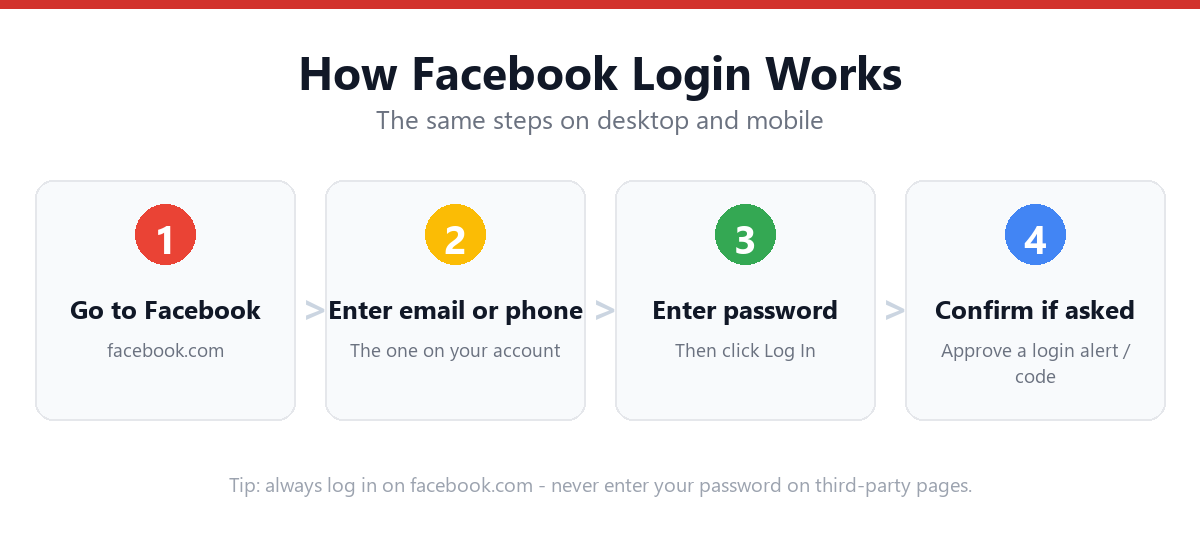
You reset a Facebook password at facebook.com/login/identify with a code sent to the email or phone on your account.
- Go to facebook.com/login/identify (or select Forgotten password? on the login page).
- Search for your account by email, mobile number or name.
- Choose where to receive the code, enter it, and set a new password.
No access to that email or phone? Select No longer have access to these? or Try another way. Facebook may offer recognised-device login, trusted contacts if you set them up, or an identity check. Use a phone or computer you've logged in on before.
Locked account
A lock or checkpoint means Facebook wants to confirm it's really you. Follow the on-screen steps: confirm a code, identify friends in photos, or record a short video selfie. Facebook says video selfies are used for verification and deleted afterwards. Locks often lift after you complete the check; some need you to wait a period.
Disabled account
"Your account has been disabled" (or suspended) means Meta believes the account broke its Community Standards or Terms. Signs that it is a real Meta decision, not a scam: the message appears when you log in at facebook.com, not in an email asking you to click a link.
- If Facebook shows an appeal / disagree option, use it within the time given and follow the identity steps.
- Make sure your name and birthday meet Facebook's rules; fake names and under-age birthdays are common reasons.
- If no appeal option appears, the decision may be final.
Messages saying your page or account "will be deleted in 24 hours" unless you appeal through a link are phishing. Meta's real notices appear inside Facebook and in Accounts Centre. Never give your password or codes to "Meta support" contacts in Messenger, email or on social media.
What should I do if my Facebook account was hacked?
If someone else got into your Facebook account, start at facebook.com/hacked and secure your linked email in the same session.
- Go to facebook.com/hackedStart the secure recovery flow, even if you can't log in.
- Change your passwordAnd the password of the email linked to Facebook, which is the account an attacker will target next.
- Log out of unknown devicesAccounts Centre → Password and security → Where you're logged in.
- Check your contact infoRemove emails and phone numbers you didn't add.
- Turn on two-factor authenticationUse an authentication app and save your recovery codes.
- Review apps and websitesRemove any you don't recognise.
If your account was used to scam friends or steal money, report it to Facebook and, in the US, at the FTC's ReportFraud.ftc.gov.
Why is Facebook not loading?
When Facebook won't load, the cause is usually your connection, an outdated app or browser cache, and only occasionally a Meta outage.
| Symptom | Fix |
|---|---|
| Blank feed, endless loading | Switch between Wi-Fi and mobile data; restart the router |
| Works in browser but not the app | Update or reinstall the app |
| Works on the app but not in the browser | Clear cache for facebook.com, or try a private window |
| Not working for anyone | Probably an outage; Meta posts status at metastatus.com |
Protect yourself from the next lockout
Five settings in Accounts Centre make the next Facebook lockout much easier to fix, and they take about ten minutes.
- Keep a current email and mobile number in Accounts Centre → Personal details.
- Turn on two-factor authentication with an authenticator app and keep the recovery codes.
- Turn on login alerts in Password and security → Login alerts.
- Use your real name and real birthday.
- Use a unique password and protect the linked email: see Gmail account recovery or Hotmail login.
How this guide was made
The fixes follow Meta's Help Centre pages listed below and the phone and browser settings documented by Google and Apple, checked on the date at the top of this page. The diagnosis table is built from the Facebook login problems readers searched for most.
Frequently asked questions
Why does Facebook keep logging me out?
Usually because the app's cache or the browser's cookies are being cleared, the app is outdated, or Facebook ended sessions after a password change or security alert. Update the app, clear its cache and allow cookies for facebook.com.
How do I stop Facebook logging me out on my iPhone?
Update the app, offload and reinstall it, set the date and time to automatic, and check that no VPN or content blocker is clearing its data.
How do I recover my Facebook account if I can't log in?
Go to facebook.com/login/identify, find your account, and choose a way to get a code. If you've lost access to your email and phone, choose Try another way from a device you've used before.
What do I do if my Facebook account was hacked?
Go to facebook.com/hacked, change your Facebook and email passwords, log out unknown devices, and turn on two-factor authentication.
Can a disabled Facebook account be restored?
Sometimes. If Facebook shows an option to disagree with the decision, follow it within the time limit. Without that option, the decision may be final.
Is Facebook down right now?
If Facebook doesn't load on any device or network, check metastatus.com for Meta's official service status.
Sources
- Facebook Help CentreOfficial help
- Facebook: Secure your accountHacked account recovery
- Facebook Help Centre: My account has been disabledDisabled accounts
- Facebook Help Centre: Two-factor authenticationSecurity settings
- Meta StatusOutage status
- FTC: ReportFraud.ftc.govReport scams (US)