


Create Facebook Account Without Phone Number: Sign Up With Email
Facebook's sign-up form asks for a mobile number or email address, so you can create a Facebook account without a phone number by using email instead. This guide walks through email sign-up on a computer and on a phone, the age rule, and what to do if Facebook later asks you to add a number during a security check.
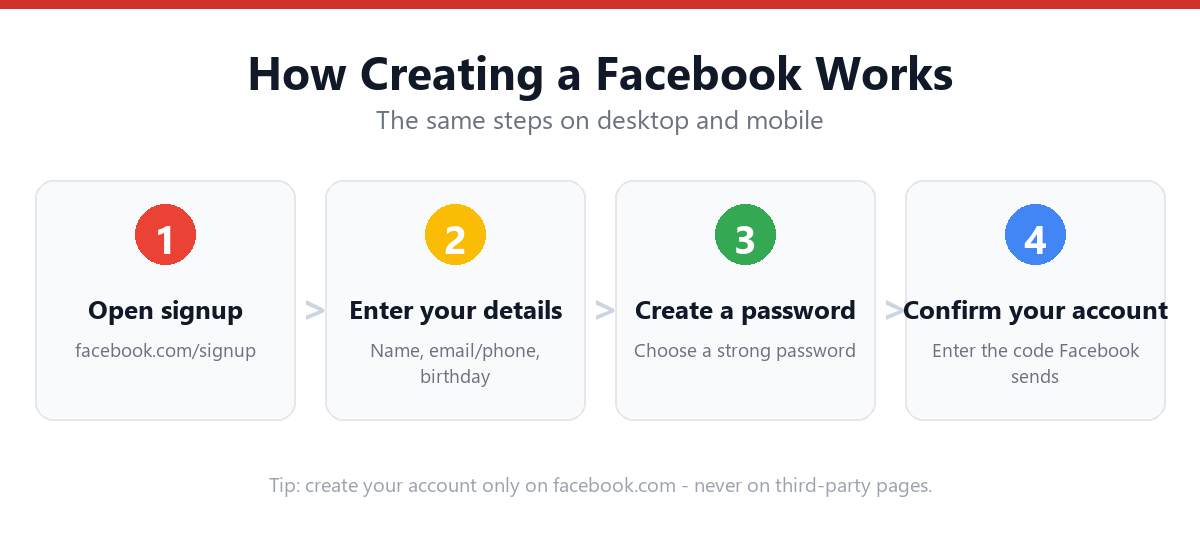
Go to facebook.com/r.php (or facebook.com → Create new account). Enter your name, then type an email address in the "Mobile number or email" field, set a password, add your birthday and gender, and select Sign Up. Enter the confirmation code Facebook emails you. You must be 13 or older.
This opens the provider's official page. This guide never asks for your password, codes or personal details.
Yes, email is enough to sign up
Facebook accepts either contact method when you create an account. Choose email and you'll confirm the account with a code sent to your inbox, not to a phone.
You'll need:
- An email address you can open now. Don't have one? Create a Gmail account or create a Hotmail account first. It takes about five minutes.
- Your real name. Facebook requires the name you use in everyday life.
- Your date of birth. You must be at least 13 (older in some countries).
How do I sign up for Facebook with email on a computer?
On a computer, Facebook sign-up takes about three minutes: you enter an email address instead of a mobile number and confirm it with a 5-digit code.
- Go to facebook.comSelect Create new account. Check the address bar says facebook.com.
- Enter your first name and surname
- Type your email address In the "Mobile number or email" box. Facebook asks you to re-enter it.
- Choose a passwordAt least 6 characters; a longer phrase is much safer.
- Add your birthday and genderThen select Sign Up.
- Confirm your emailEnter the 5-digit code from Facebook's email (check Spam or Promotions), or select the link in it.
Sign up with email on a phone
In the Facebook app (publisher Meta Platforms, Inc.): tap Create new account, then Sign up with email when the app asks for your mobile number. The rest of the screens are the same as on a computer.
In a mobile browser: go to m.facebook.com and tap Create new account. This is useful on a shared phone because nothing is installed.
What is the minimum age for Facebook?
Facebook's minimum age is 13 in most countries, and teen accounts get stricter default privacy settings until 18.
| Age | What happens |
|---|---|
| Under 13 | Not allowed to sign up. Accounts found to belong to under-13s are removed |
| 13–17 | Can sign up. Teen accounts get stricter default privacy and messaging settings |
| 18+ | Standard account |
Enter your real birthday. If Facebook later asks you to confirm your age and the date doesn't match your ID, the account can be locked. A birthday entered by mistake can be corrected in Settings → Accounts Centre → Personal details, within Facebook's limits on how often it can change.
If Facebook asks for a phone number later
An email account works normally, but Facebook may run a security check (sometimes called a checkpoint) if something looks unusual: a new device, a far-away login, or behaviour that looks automated. It may then ask you to:
- Confirm a code sent to your email
- Upload a photo or video selfie to confirm you're a real person
- Add a mobile number for a code
If a phone is required at that point, you can use a number you own or someone you trust, and remove it afterwards in Accounts Centre → Personal details → Contact info. Keep your email confirmed so you always have one way back in.
Don't use "free SMS number" websites or buy ready-made accounts. Anyone can read codes sent to public numbers, and bought accounts are removed by Facebook. They also stay in the seller's control through the recovery details.
Make the account secure without a phone
A Facebook account with no phone number stays secure if you use an authentication app for two-factor sign-in and keep your recovery codes offline.
- Turn on two-factor authentication with an authenticator app, not SMS: Accounts Centre → Password and security → Two-factor authentication → Authentication app. It works without a phone number.
- Save the recovery codes Facebook gives you, and store them offline.
- Set a unique password, different from your email's password.
- Keep your email secure. Whoever controls that inbox can reset your Facebook password. Protect it with a passkey or 2-Step Verification. See Gmail login.
Common sign-up problems
Most Facebook sign-up failures come from an unconfirmed email, a name that breaks Facebook's name rules, or a sign-up flagged as automated.
| Problem | Fix |
|---|---|
| Confirmation email doesn't arrive | Check Spam, Promotions and Updates; select Send email again; make sure the address is spelled right |
| "Your name doesn't follow our standards" | Use your everyday name: no symbols, numbers, titles or repeated characters |
| "Sorry, we are not able to process your registration" | Facebook flagged the sign-up. Wait, then try on your own device and Wi-Fi without a VPN |
| "This email is already in use" | You already have an account. Use Forgotten password? on the login page |
| Account disabled right after sign-up | See Facebook login problems: disabled account |
How this guide was made
The sign-up steps, age rules and security options here follow Meta's Help Centre pages listed below, checked on the date at the top of this page. Facebook tests different sign-up screens in different countries; the information asked for is the same.
Frequently asked questions
Can I create a Facebook account without a phone number?
Yes. Enter an email address in the "Mobile number or email" field and confirm the account with the code Facebook emails you.
How do I sign up for Facebook with email on my phone?
In the Facebook app tap Create new account, then Sign up with email. In a browser, use m.facebook.com.
What is the minimum age for Facebook?
13 in most countries. Some countries set a higher minimum.
Why is Facebook asking for my phone number?
Usually because of a security check after unusual activity. You can often confirm by email or selfie instead; if a number is required, you can remove it afterwards.
Can I remove my phone number from Facebook?
Yes, in Accounts Centre → Personal details → Contact info, as long as an email address is also confirmed.
Is two-factor authentication possible without a phone number?
Yes. Use an authentication app and save the recovery codes.
Sources
- Facebook Help Centre: Create a Facebook accountOfficial sign-up help
- Facebook Help Centre: Minimum age requirementAge rules
- Facebook Help Centre: What names are allowed on FacebookName standards
- Facebook Help Centre: Two-factor authenticationSecurity settings
- Facebook Help CentreAll official help
- FTC: Recognize and avoid phishing scamsSafety guidance