Create a Gmail Account Without a Phone Number
Google asks for a phone number during Gmail signup, but it's not always mandatory. Here's how to skip or work around it, and how to set up recovery without a phone.
During Gmail signup, the phone number step usually has a "Skip" link beneath the phone field. Click or tap it to proceed without entering a phone number. If no skip option appears, try signing up through a different device or browser. Phone verification requirements can vary based on Google's automated risk assessment.
- Look for the "Skip" link beneath the phone field during signup.
- No skip option? Try a different device or browser.
- Phone requirements vary by device, IP, and account history.
- Add a recovery email so you can still recover the account.
When Can You Skip the Phone Number?
Google's phone verification step is driven by its automated fraud and spam prevention systems. Whether a "Skip" option appears depends on several factors:
- Device history: signing up on a device or browser with prior Google account history is more likely to offer a skip option
- Network/IP signals: certain networks (shared WiFi, VPNs, data centres) may trigger stricter verification
- Account creation rate: creating multiple accounts in a short time period on the same network often requires phone verification
How to Sign Up Without a Phone Number
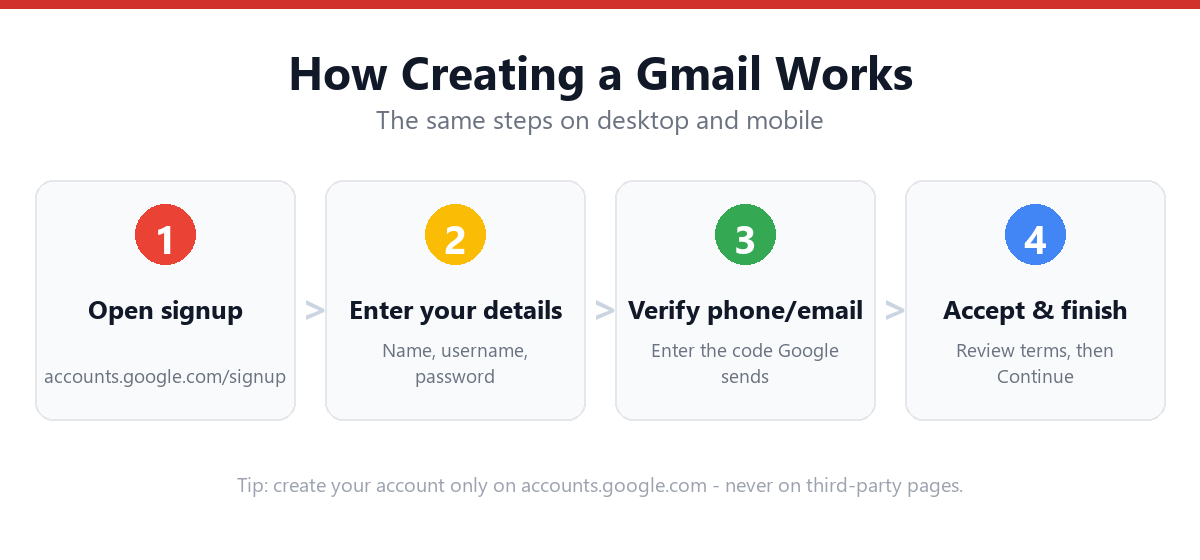
- Go to accounts.google.com/signupStart the standard Gmail signup flow.
- Complete name, username, and passwordThese steps are the same regardless of recovery method.
- On the "Add phone number" screen, look for a "Skip" linkIt's typically below the phone number input field, in smaller text.
- Click or tap "Skip"This bypasses phone verification for this signup.
- Add a recovery email instead (optional)On the next screen, you can enter an existing email address from another provider as a recovery contact.
- Complete birth date, gender, and terms agreementThese are required.
- Your account is created without a phone numberYou can add one later at any time via myaccount.google.com → Security.
What If There's No "Skip" Option?
If Google requires phone verification with no skip option available, a few alternatives:
- Try a different browser or device: different risk signals may show a skip option
- Try signing up via the Gmail mobile app: the mobile signup flow sometimes has fewer friction points
- Wait and try again later: if your network has been flagged for recent account creation activity, trying from a different location or network may help
- Use a recovery email instead of a phone: some signup paths offer a "Use email instead" option for verification
Account Recovery Without a Phone Number
If you successfully create your account without a phone number, your recovery email (if added) becomes your primary recovery method. To strengthen this:
- Go to myaccount.google.com → SecurityReview what's currently listed under "Ways we can verify it's you."
- Confirm your recovery email is verifiedIf listed as unverified, click to resend the confirmation.
- Consider adding an authenticator app for 2-Step VerificationThis adds a second factor that doesn't require a phone number or SMS.
Frequently Asked Questions
Why does Google ask for a phone number when creating a Gmail account?
Google uses phone verification as part of its anti-spam and account security systems. It makes it significantly harder to create large numbers of fake or throwaway accounts. The requirement is applied selectively based on automated risk signals, not universally for all signups.
If I skip the phone number, can I still use all Gmail features?
Yes, an account created without a phone number functions identically to one with a phone number attached. All Gmail features, Drive storage, and Google services remain fully accessible.
Can I add a phone number to my Gmail account after signing up?
Yes. go to myaccount.google.com → Security → "Ways we can verify it's you" and add a phone number at any time. This also enables SMS-based 2-Step Verification if you choose to set that up later.
Does the same phone number work for multiple Gmail accounts?
Google may limit how many accounts can be verified with the same phone number in a given time period. If you've already used a number for several accounts, you may be prompted to use a different number or go through alternative verification.
Sources & Official References
This guide reflects the provider’s current process. For account-specific actions, always use the official tools:
- Google Help: Sign in to GmailOfficial Gmail sign-in instructions from Google.
- Create a Google AccountOfficial steps to create a new Google/Gmail account.
- Turn on 2-Step VerificationOfficial 2-Step Verification setup guide.
- Google Account RecoveryOfficial recovery flow for locked or forgotten accounts.
Why You Can Trust This Guide
Iris Publishers’ editorial team produces plain-English account help guides. Every step is verified against the provider’s official process and updated when the interface changes.
- Independently written: not affiliated with, endorsed by, or sponsored by Google.
- Reviewed for accuracy by our editorial team before publishing and at each update.
- No credentials collected: always sign in on the provider’s official pages.
- Last reviewed: .