Hotmail Sign In on Mobile: iPhone & Android Guide
Two ways to access Hotmail on your phone — the Outlook app or your mobile browser. Here's how to set up each, plus fixes for common mobile-only sign-in issues.
To sign in to Hotmail on mobile, download the Microsoft Outlook app (iOS App Store or Google Play), tap "Add Account," and enter your @hotmail.com, @outlook.com, @live.com, or @msn.com address and password. Alternatively, open outlook.com in your phone's browser and sign in the same way as on desktop.
- Easiest: the Microsoft Outlook app (iOS/Android) → "Add Account."
- Works with any @hotmail/@outlook/@live/@msn address plus password.
- The mobile browser (outlook.com) is a no-install alternative.
- Update the app first if sign-in stalls.
Setting Up the Outlook App (Recommended)
The Outlook app offers the smoothest mobile experience — push notifications, offline access to recent emails, and unified calendar/contacts.
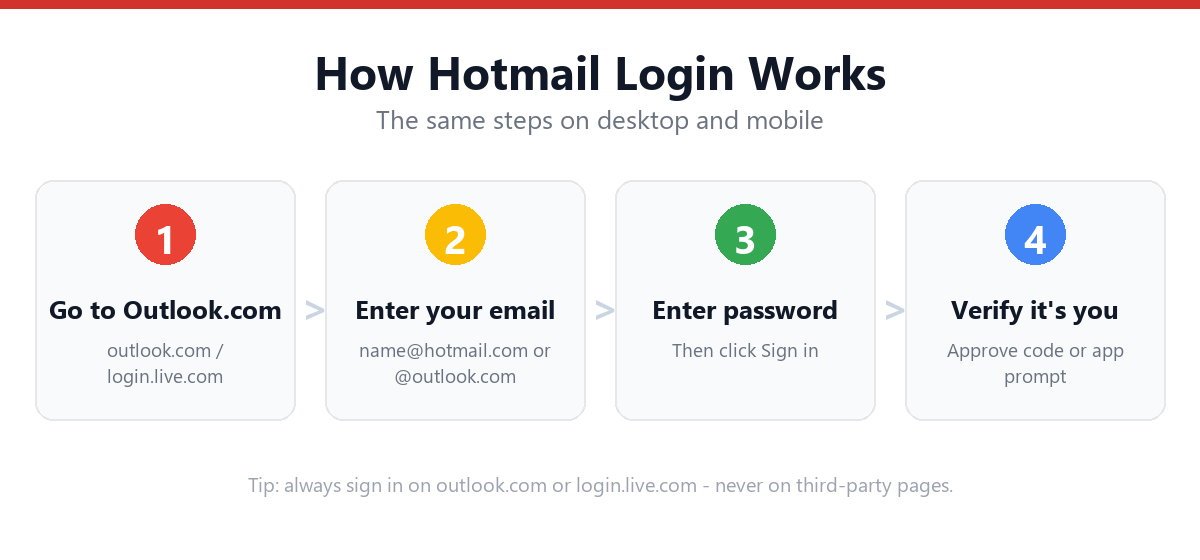
- Download the Microsoft Outlook appSearch "Microsoft Outlook" in the App Store (iPhone) or Google Play (Android) and install it.
- Open the app and tap "Get Started"If you've used the app before, tap "Add Account" from the menu instead.
- Enter your email addressUse your full @hotmail.com, @outlook.com, @live.com, or @msn.com address.
- Enter your passwordThe app will redirect to Microsoft's secure sign-in page.
- Complete two-factor authentication if promptedEnter the code from your authenticator app, SMS, or email.
- Allow notifications and permissionsGrant notification access for new email alerts, and contact/calendar sync if desired.
- Your inbox loads automaticallyThe app syncs your existing emails, folders, and contacts.
Signing In via Mobile Browser
If you'd rather not install an app, you can use Outlook.com directly in Safari, Chrome, or any mobile browser.
- Open your mobile browserSafari (iPhone) or Chrome (Android) work well.
- Go to outlook.comType the address directly rather than searching, to avoid ad-laden search results.
- Tap "Sign in"Enter your email address and tap Next.
- Enter your passwordThen complete 2FA if prompted.
- Request "Desktop site" if neededSome browsers default to a simplified mobile layout — requesting the desktop site gives you the full Outlook Web interface.
App vs. Browser: Which Should You Use?
| Factor | Outlook App | Mobile Browser |
|---|---|---|
| Push notifications | Yes | No |
| Offline access | Yes (recent emails) | No |
| Storage used | ~150-300MB app | None (browser only) |
| Multiple accounts | Easy switching | Requires separate sign-ins or private tabs |
| Best for | Daily use, frequent checking | Occasional access, shared/borrowed devices |
Common Mobile Sign-In Issues
| Issue | Fix |
|---|---|
| App stuck on loading screen during sign-in | Force-close the app, ensure you have a stable internet connection, and reopen |
| "Something went wrong" error in app | Update the app to the latest version from the App Store/Play Store |
| 2FA code not arriving on mobile | Check that notifications are enabled for your authenticator app, or request an SMS code instead |
| Can't add a second account | Go to Settings within the app → Add Account, rather than signing out of the first |
| Mobile browser shows simplified/broken layout | Request "Desktop site" from your browser's menu |
For broader login issues not specific to mobile, see: Hotmail Login Not Working — Full Fix List
Frequently Asked Questions
Is the Outlook app the same as Hotmail?
Yes — the Outlook app is Microsoft's official mobile app for accessing Hotmail/Outlook.com email, calendar, and contacts. Signing in with your @hotmail.com address gives you the same inbox you'd see on desktop.
Can I use Hotmail on mobile without downloading an app?
Yes. Open outlook.com in your phone's browser (Safari, Chrome, etc.) and sign in with your email and password, just as you would on a computer. For a fuller interface, request the desktop site from your browser's menu.
Why won't the Outlook app let me sign in on my phone?
This is usually caused by an outdated app version, an unstable internet connection, or a temporary Microsoft service issue. Update the app first, then check your connection, and finally check status.office365.com for outages.
Can I add multiple Hotmail accounts to the Outlook app?
Yes. Within the app, go to Settings and select "Add Account" to add additional Hotmail, Outlook, or other email accounts. You can switch between them using the account icon in the top-left corner.
Sources & Official References
This guide reflects the provider’s current process. For account-specific actions, always use the official tools:
- Sign in to Outlook.com / HotmailOfficial Microsoft sign-in instructions.
- Create a Microsoft accountOfficial steps to create an Outlook.com / Hotmail account.
- Reset your Microsoft passwordOfficial Microsoft password reset flow.
- Microsoft account helpOfficial Microsoft account & security help.
Why You Can Trust This Guide
Iris Publishers’ editorial team produces plain-English account help guides. Every step is verified against the provider’s official process and updated when the interface changes.
- Independently written — not affiliated with, endorsed by, or sponsored by Microsoft.
- Reviewed for accuracy by our editorial team before publishing and at each update.
- No credentials collected — always sign in on the provider’s official pages.
- Last reviewed: .