"Your Account Has Been Locked": How to Fix It
Microsoft locks accounts automatically as a security measure. The good news: in most cases, you can unlock your account yourself within minutes by verifying your identity.
"Your account has been locked" usually means Microsoft detected unusual sign-in activity and is asking you to verify it's really you. On the lock screen, click "Unlock my account" or "Verify", then complete identity verification using your recovery email, phone, or authenticator app. Most accounts unlock within minutes once verification succeeds.
- A lock usually means Microsoft detected unusual sign-in activity.
- Click "Unlock my account" / "Verify" and confirm via email, phone, or authenticator.
- No verification access? Use the account recovery form (it takes longer).
- Add recovery info and a stable sign-in pattern to reduce future locks.
Why Did Microsoft Lock My Account?
Account locks are an automated security response, not a punishment. Common triggers include:
- Sign-in from a new location or device — especially a different country than usual
- Too many failed password attempts — Microsoft pauses sign-in to prevent brute-force attacks
- Unusual account activity — such as sending a large volume of emails quickly, which can resemble spam behavior
- A linked device reported as compromised — if malware was detected on a device that accessed your account
- Expired or flagged payment information — for accounts linked to Microsoft 365 subscriptions
How to Unlock Your Hotmail/Outlook Account
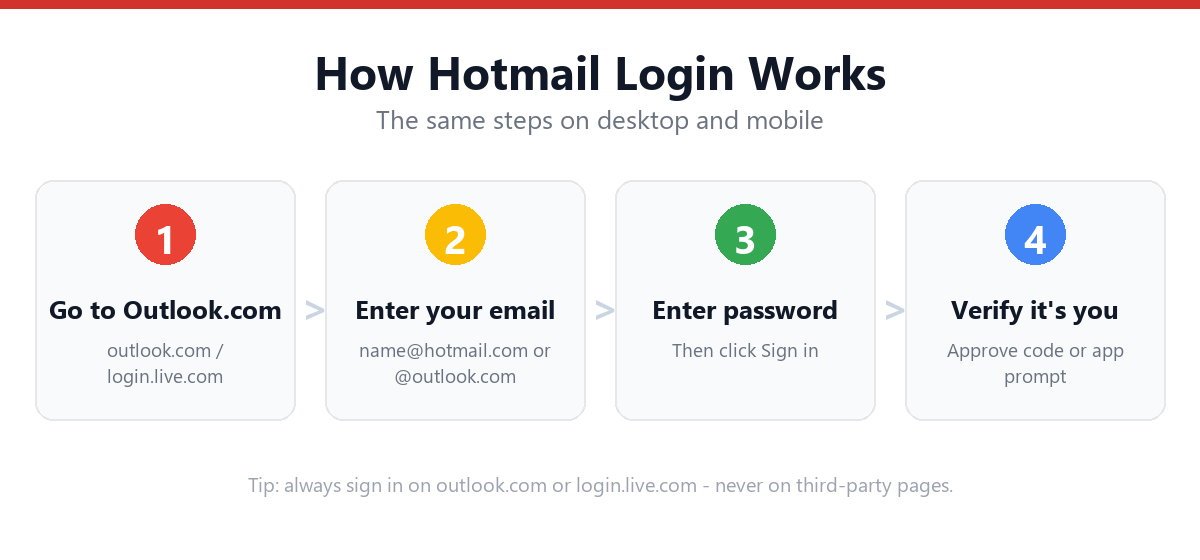
- Go to the sign-in page and attempt to log inUse outlook.com or login.live.com with your normal email and password.
- Look for "Unlock my account" or "Verify" promptThis typically appears immediately after a locked account attempts to sign in.
- Choose a verification methodOptions usually include a code sent to your recovery email, recovery phone, or your Microsoft Authenticator app.
- Enter the verification codeType the code you receive into the field provided.
- Confirm recent account activity (if asked)Microsoft may show you recent sign-in locations and ask if you recognize them — answer honestly.
- Wait for the unlock confirmationMost accounts unlock immediately. In rare cases, Microsoft may apply a short cooling-off period (up to 24 hours) for repeated triggers.
What If You Can't Complete Verification?
If you don't have access to your recovery email, phone, or authenticator app, you'll need to use the full account recovery form instead — the same one used for password resets without recovery access.
Follow the "No Access to Recovery Email or Phone" section in our guide: Forgot Hotmail Password — Recovery Steps
How to Reduce Future Lock-Outs
- Enable two-factor authentication — accounts with 2FA are locked less frequently because Microsoft has higher confidence in sign-ins
- Use a VPN consistently or not at all — switching locations frequently can trigger security flags
- Keep recovery info up to date — an outdated phone number is the #1 reason unlocking becomes difficult
- Avoid sending bulk emails from a personal account — this can be flagged as spam-like behavior
Frequently Asked Questions
How long does a Hotmail account stay locked?
Most locks can be lifted immediately once you complete identity verification. If repeated triggers occur, Microsoft may apply a short cooling-off period of up to 24 hours before allowing another unlock attempt.
Is a locked account the same as a banned account?
No. A locked account is a temporary security measure that you can typically resolve yourself through identity verification. A banned or disabled account is the result of a policy violation and requires a separate appeal process through Microsoft support.
Why does my account keep getting locked repeatedly?
Repeated locks are often caused by frequently changing sign-in locations (such as switching VPN servers), an outdated recovery phone number, or a device with malware that's triggering security flags. Enabling two-factor authentication with an authenticator app tends to reduce repeat locks significantly.
Can someone else unlock my Hotmail account for me?
No. Account unlocking requires identity verification tied to your specific recovery methods (your email, phone, or authenticator app). Microsoft does not allow third parties to unlock accounts on your behalf, even with your permission, due to security policy.
Sources & Official References
This guide reflects the provider’s current process. For account-specific actions, always use the official tools:
- Sign in to Outlook.com / HotmailOfficial Microsoft sign-in instructions.
- Create a Microsoft accountOfficial steps to create an Outlook.com / Hotmail account.
- Reset your Microsoft passwordOfficial Microsoft password reset flow.
- Microsoft account helpOfficial Microsoft account & security help.
Why You Can Trust This Guide
Iris Publishers’ editorial team produces plain-English account help guides. Every step is verified against the provider’s official process and updated when the interface changes.
- Independently written — not affiliated with, endorsed by, or sponsored by Microsoft.
- Reviewed for accuracy by our editorial team before publishing and at each update.
- No credentials collected — always sign in on the provider’s official pages.
- Last reviewed: .