Create a Hotmail/Outlook Account Without a Phone Number
A phone number is not required to create a Hotmail/Outlook account — here's how to complete signup using only an email address for verification and recovery.
During Hotmail/Outlook signup, when asked for a phone number, look for a link that says "I'd rather use my email address" or simply skip the phone number field if it's not marked as required. You can use an existing email address from another provider as your recovery contact instead.
- Look for "I'd rather use my email address," or skip the phone field if optional.
- Use another email address as your recovery contact instead.
- A recovery method is still strongly recommended for security.
- You can add a phone number later in account settings.
Why Skip the Phone Number?
Common reasons people prefer not to provide a phone number during signup:
- Privacy preferences — not wanting to link a phone number to an email account
- No phone available — setting up an account on a shared/library computer without immediate phone access
- Avoiding SMS costs — in regions where receiving verification texts may incur charges
- Already have a recovery email — preferring to use an existing email address for recovery instead
How to Sign Up Without a Phone Number
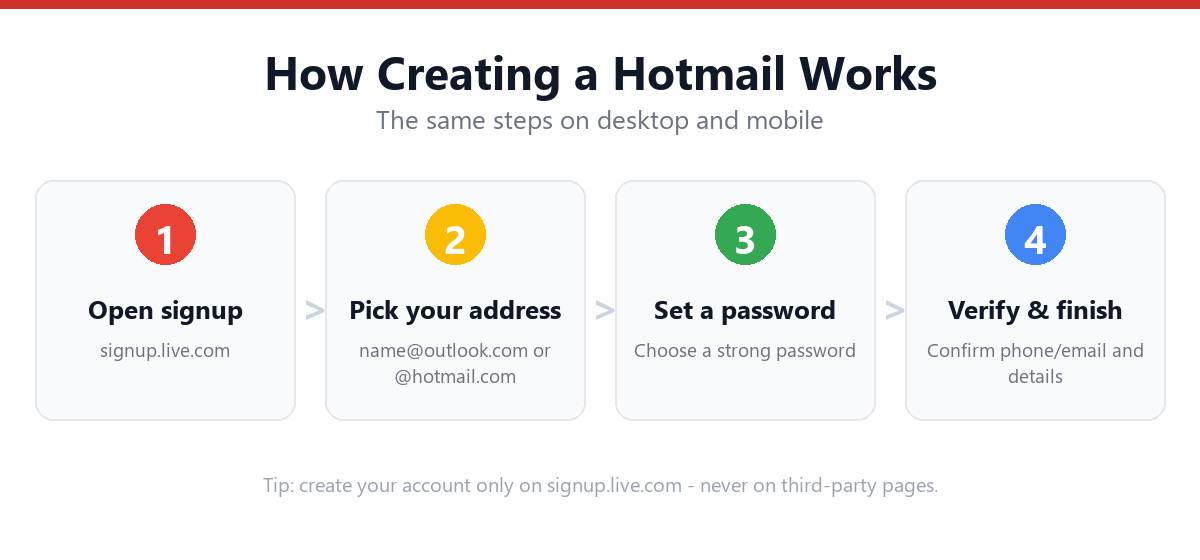
- Start signup as normalGo to outlook.com or signup.live.com and click "Create free account."
- Complete the email, password, name, and birth date stepsThese are required regardless of recovery method.
- When asked for a phone number, look for an alternate linkMicrosoft typically shows a link or smaller text option such as "I'd rather use my email address" below the phone number field.
- Enter an existing email address insteadThis can be from any provider (Gmail, Yahoo, another Outlook account, etc.) — it will serve as your recovery contact.
- Verify the alternate email if promptedMicrosoft may send a code to this email to confirm it's valid and accessible.
- Complete the CAPTCHA verificationSame as the standard signup flow.
- Your account is createdNo phone number is associated with the account.
Setting Up Recovery Without a Phone Number
Once your account is created without a phone number, your recovery email becomes your primary recovery method. To strengthen this further:
- Go to account.microsoft.comSign in with your new account.
- Navigate to Security → Security infoThis shows all recovery methods currently on file.
- Confirm your recovery email is listed and verifiedIf it shows as unverified, click to resend the verification code.
- Consider setting up an authenticator appThis provides a phone-based 2FA method without requiring SMS, using an app like Microsoft Authenticator.
- Generate and save backup codes if availableAn additional fallback in case your recovery email also becomes inaccessible.
Can I Add a Phone Number Later?
Yes — if you change your mind later, go to account.microsoft.com → Security → Security info → "Add a new way to sign in or verify," and select phone number. This is entirely optional and can be done at any time, or never at all.
Frequently Asked Questions
Will my account work the same without a phone number?
Yes. An account created without a phone number functions identically — same inbox, same storage, same access to Microsoft services. The only difference is which recovery methods are available if you ever need to reset your password.
What if Microsoft requires a phone number during signup in my region?
In some cases, particularly for accounts flagged as higher-risk by Microsoft's automated systems, a phone number may be required as part of anti-abuse measures. If this happens, using a recovery email alone may not be available for that specific signup attempt.
Is it safe to skip phone-based recovery?
Email-based recovery is generally secure as long as the recovery email itself has strong security (a good password and ideally its own 2FA). The main risk is having a single point of failure — if you lose access to that recovery email, account recovery becomes more difficult.
Can I use a temporary or disposable email as my recovery email?
This isn't recommended. Disposable email addresses typically expire or become inaccessible, which would leave your Hotmail/Outlook account without a usable recovery method. Use an email address you control long-term.
Sources & Official References
This guide reflects the provider’s current process. For account-specific actions, always use the official tools:
- Sign in to Outlook.com / HotmailOfficial Microsoft sign-in instructions.
- Create a Microsoft accountOfficial steps to create an Outlook.com / Hotmail account.
- Reset your Microsoft passwordOfficial Microsoft password reset flow.
- Microsoft account helpOfficial Microsoft account & security help.
Why You Can Trust This Guide
Iris Publishers’ editorial team produces plain-English account help guides. Every step is verified against the provider’s official process and updated when the interface changes.
- Independently written — not affiliated with, endorsed by, or sponsored by Microsoft.
- Reviewed for accuracy by our editorial team before publishing and at each update.
- No credentials collected — always sign in on the provider’s official pages.
- Last reviewed: .