"This Username Is Unavailable": How to Fix It
With well over a billion Outlook/Hotmail addresses already created, common names are almost always taken. Here's how to find a username that works without settling for something unrecognizable.
"This username is unavailable" means someone else already has that exact email address on that domain. Try adding numbers, a middle initial, or periods to your desired name, or switch to a less-saturated domain ending like @live.com or @msn.com — the address works identically regardless of which domain you choose.
- "Unavailable" means that exact address is already taken.
- Add numbers, a middle initial, or periods to your desired name.
- Switch to a less-saturated domain like @live.com or @msn.com.
- All domains work the same, so a different ending is a quick fix.
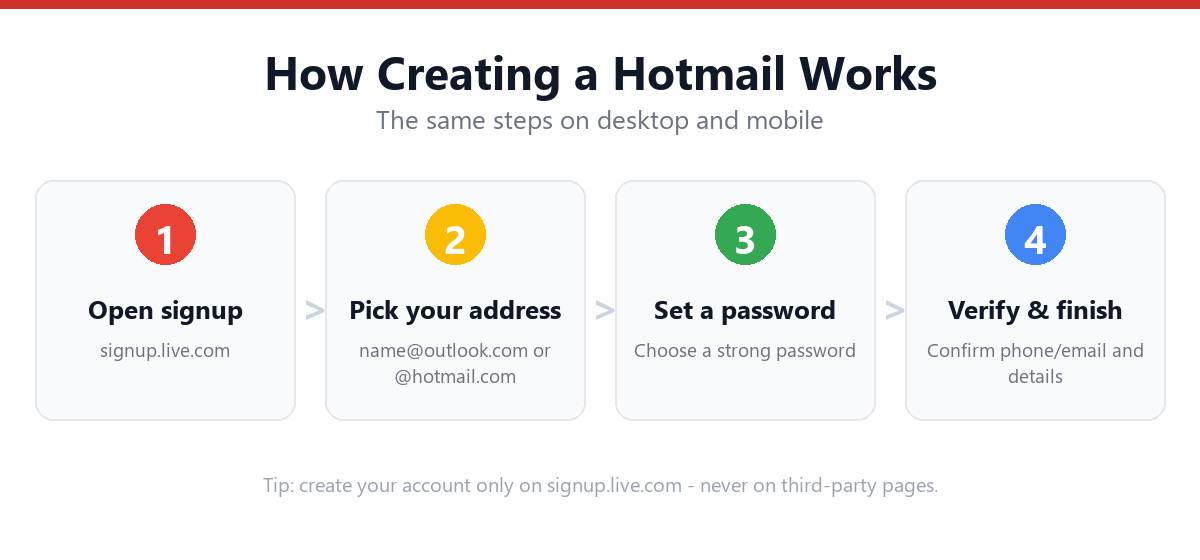
Strategies to Find an Available Username
1. Add Numbers Strategically
| Instead of | Try |
|---|---|
| johnsmith@outlook.com | johnsmith24@outlook.com (a meaningful number, not "1234") |
| johnsmith@outlook.com | johnsmith.nyc@outlook.com (location-based) |
2. Switch the Domain Ending
@outlook.com and @hotmail.com are the most heavily used. Try the exact same username on:
- @live.com — often has better availability for common names
- @msn.com — frequently the least saturated of the four domains
All four domains are fully interchangeable in functionality — the choice only affects what appears after the @ symbol.
3. Use Periods (With Caution)
Microsoft's system may or may not treat periods as significant depending on the exact implementation — some email systems ignore periods entirely (so john.smith and johnsmith would be the same address), while others treat them as distinct. Test during signup rather than assuming.
4. Add a Relevant Word
| Category | Example |
|---|---|
| Profession | johnsmithwriter@outlook.com |
| Hobby/interest | johnsmithcycling@outlook.com |
| Birth year (partial) | johnsmith92@outlook.com |
| Middle name/initial | johnrsmith@outlook.com |
5. Reverse or Restructure
Try smithjohn@outlook.com instead of johnsmith@outlook.com, or use initials creatively: jrsmith@outlook.com, smithj.official@outlook.com, etc.
What to Avoid
- Long strings of random numbers (johnsmith8473921@outlook.com) — hard to remember and looks unprofessional
- Excessive special characters — Microsoft restricts which characters are allowed in usernames (typically letters, numbers, dots, underscores, and hyphens)
- Usernames that don't represent you if this account will be used professionally — consider how it looks on a resume or business card
Frequently Asked Questions
Why is a username "unavailable" if the account was deleted?
Microsoft holds deleted account usernames for a period of time (historically around 270 days, though this can vary) before they become available again, as a security measure to prevent confusion or impersonation of the previous account holder.
Does it matter which domain (@outlook.com vs @hotmail.com vs @live.com vs @msn.com) I choose?
No — all four domains are part of the same Outlook.com system with identical features. The only practical difference is availability: @live.com and @msn.com tend to have more available usernames since they're chosen less often.
Can I reserve a username before completing signup?
No, Microsoft doesn't offer username reservation — availability is checked in real-time during signup, and a username isn't secured until you complete the full account creation process.
Can I change my username/email address after creating the account?
Microsoft allows adding additional email aliases to an existing account (via account.microsoft.com → Your info → Manage how you sign in), which can act as alternative addresses, though your original username typically remains the primary one unless changed through Microsoft's alias management options.
Sources & Official References
This guide reflects the provider’s current process. For account-specific actions, always use the official tools:
- Sign in to Outlook.com / HotmailOfficial Microsoft sign-in instructions.
- Create a Microsoft accountOfficial steps to create an Outlook.com / Hotmail account.
- Reset your Microsoft passwordOfficial Microsoft password reset flow.
- Microsoft account helpOfficial Microsoft account & security help.
Why You Can Trust This Guide
Iris Publishers’ editorial team produces plain-English account help guides. Every step is verified against the provider’s official process and updated when the interface changes.
- Independently written — not affiliated with, endorsed by, or sponsored by Microsoft.
- Reviewed for accuracy by our editorial team before publishing and at each update.
- No credentials collected — always sign in on the provider’s official pages.
- Last reviewed: .