Facebook Login Not Working: 9 Fixes by Exact Error Message
If Facebook won't let you sign in, the fastest path forward is matching your exact error message to the right fix below — most login issues fall into one of these nine categories.
Most "Facebook login not working" issues are caused by using the wrong login identifier (email vs phone vs username), a browser cache/cookie conflict, an outdated app, or a temporary account restriction. Try "Forgotten password?" to confirm your linked identifier, clear your browser cache, and update the Facebook app before assuming your account is compromised.
- Most failures: wrong identifier (email/phone/username), cache conflict, outdated app, or a restriction.
- Use "Forgotten password?" to confirm the identifier linked to your account.
- Clear your cache, update the app, and try a different browser.
- Reset your password when the standard fixes don't work.
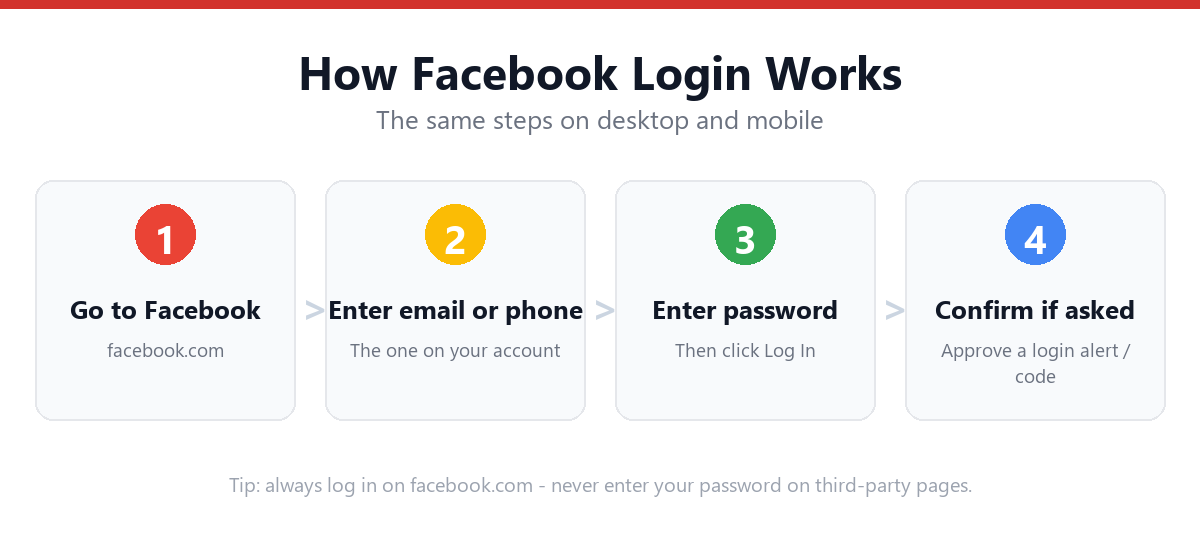
Find Your Error Message
| Error Message / Symptom | What It Means | Fix |
|---|---|---|
| "Incorrect password" | Wrong password, Caps Lock on, or wrong account identifier | Try "Forgotten password?" to reset, or confirm email/phone/username |
| "Your account has been disabled" | Facebook flagged a suspected policy violation | Follow our account disabled guide |
| "We've temporarily blocked your account" | Automated security flag from unusual activity | Complete the identity check Facebook provides, or see our recovery guide |
| Logs out repeatedly after a short time | Browser/app session settings or cookie conflicts | See our logout fix guide |
| Page keeps reloading / login loop | Cached login session or cookie conflict | Clear cookies, use incognito, or "Log into another account" |
| 2FA code never arrives | SMS delay or authenticator app not synced | Use backup codes or wait for SMS retry |
| "This browser is not supported" | Outdated browser version | Update browser or switch to Chrome/Edge |
| App crashes on login screen | Outdated app or corrupted cache | Update the app, or clear app cache/reinstall |
| "Too many attempts" | Account temporarily throttled for security | Wait 30-60 minutes, or reset password |
Step-by-Step: The 6 Fixes That Solve Most Issues
- Clear your browser cache and cookiesGo to your browser's settings, clear cached images/files and cookies for the last 24 hours, then reload facebook.com.
- Try an incognito or private windowThis bypasses cached sessions and most extension conflicts entirely.
- Click "Log into another account"On the login page, this clears any stuck or auto-filled account.
- Confirm your login identifierTry email, then phone, then username — Facebook accepts any linked identifier.
- Update the Facebook appOutdated app versions are a common cause of login failures on mobile.
- Restart your deviceClears temporary session conflicts at the OS level.
When You Should Reset Your Password Instead
If you've tried the steps above and you're still seeing "incorrect password" specifically (and you're confident you're using the right identifier), it's time to reset rather than keep guessing. Repeated failed attempts can trigger additional security restrictions.
On the login page, click "Forgotten password?", search for your account by name/email/phone, and follow the reset instructions sent to your linked email or phone.
Frequently Asked Questions
Why does Facebook say my password is incorrect when I'm sure it's right?
This usually means you're using the wrong login identifier — Facebook accounts can be linked to an email, a phone number, and a username, and the password may differ if you have multiple accounts. Use "Forgotten password?" to confirm which account and identifier combination is correct.
Does clearing my browser cache log me out of Messenger too?
If you use Messenger through your browser, yes — clearing cookies will sign you out of both. The Messenger mobile app, however, maintains its own separate login session and typically isn't affected by clearing browser data.
Why does the Facebook app crash every time I try to log in?
This is typically caused by an outdated app version or a corrupted local cache. Update the app from the App Store or Google Play first; if the issue persists, try clearing the app's cache (Android) or reinstalling the app (iPhone).
Is there a Facebook outage right now?
Facebook outages are rare but do happen and tend to affect many users simultaneously. Check a status-tracking site or search for "Facebook down" to see if others are reporting the same issue before assuming the problem is on your end.
Sources & Official References
This guide reflects the provider’s current process. For account-specific actions, always use the official tools:
- Log in to FacebookOfficial Facebook login page.
- Create a Facebook accountOfficial Facebook account creation help.
- Recover your Facebook accountOfficial Facebook account recovery flow.
- Facebook Help CenterOfficial Facebook help and support.
Why You Can Trust This Guide
Iris Publishers’ editorial team produces plain-English account help guides. Every step is verified against the provider’s official process and updated when the interface changes.
- Independently written — not affiliated with, endorsed by, or sponsored by Meta.
- Reviewed for accuracy by our editorial team before publishing and at each update.
- No credentials collected — always sign in on the provider’s official pages.
- Last reviewed: .